
ScanWritr provides a comprehensive suite of editing tools designed to help you easily compose, edit online for free, fill out, annotate, and sign your digital or scanned documents. You can effortlessly combine multiple files and images of various formats into a single, unified ScanWritr document. Once merged, you can crop your scans and enhance their quality. You can also quickly fill out or complete all pages of your documents and forms. All while you edit online for free.
Remove unwanted backgrounds with the precision eraser tool, and add text using a variety of font styles and colors. Highlight key points, underline, or draw freehand with the versatile pen tool. Use the marker tool to annotate your documents in different colors, making it easy to emphasize important details. Add professional touches with signatures and stamps, which you can save for future use.
Every modification you make is fully editable, allowing you to refine text, adjust the color or thickness of your pen and marker strokes, and reposition elements as needed. With ScanWritr, you have complete control over your documents, ensuring they look polished and professional every time – all through the convenience of being able to edit online for free.

Prepare a document and edit for free
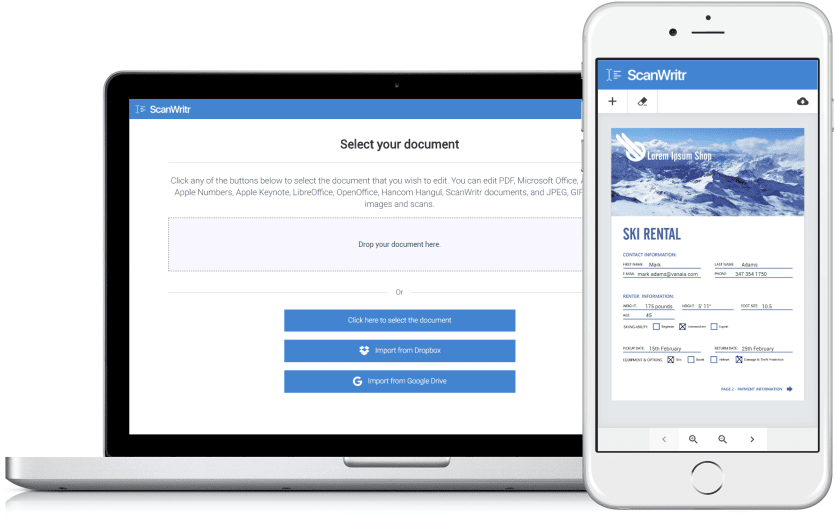
ScanWritr is designed to recognize and work seamlessly with nearly all standard document formats. So, it’s an incredibly versatile tool for document management. You can edit online for free by uploading a wide range of file types. This includes Microsoft Word documents, Microsoft Excel spreadsheets, Microsoft PowerPoint presentations, and Microsoft Visio charts. The platform also supports Apple Pages documents, Apple Numbers spreadsheets, and Apple Keynote presentations. So, it ensures compatibility with popular macOS and iOS file types. Additionally, you can upload Adobe Acrobat PDF files, LibreOffice, OpenOffice, or Hancom Hangul documents, as well as image formats like JPEG, GIF, PNG, HEIC, and BMP.
One of ScanWritr’s key advantages is its ability to eliminate the need for manual file conversions. Whether working with a digital file or starting with a physical document, the process is quick and straightforward. You can scan a physical document or take a photo directly within the app, turning it into a digital file for editing. Furthermore, the platform allows you to combine multiple documents and images into a single ScanWritr project. It can be then exported as a polished, unified PDF document.
Once you upload your files, you can edit online. ScanWritr provides intuitive editing tools to handle your content as an image. You can use pen or marker tools to highlight or annotate important areas and add a signature to authenticate the document. To edit online for free more comprehensively, you can incorporate annotations, insert additional images, and fill out forms or blanks using the versatile writing tool.
Enhance the quality of your documents
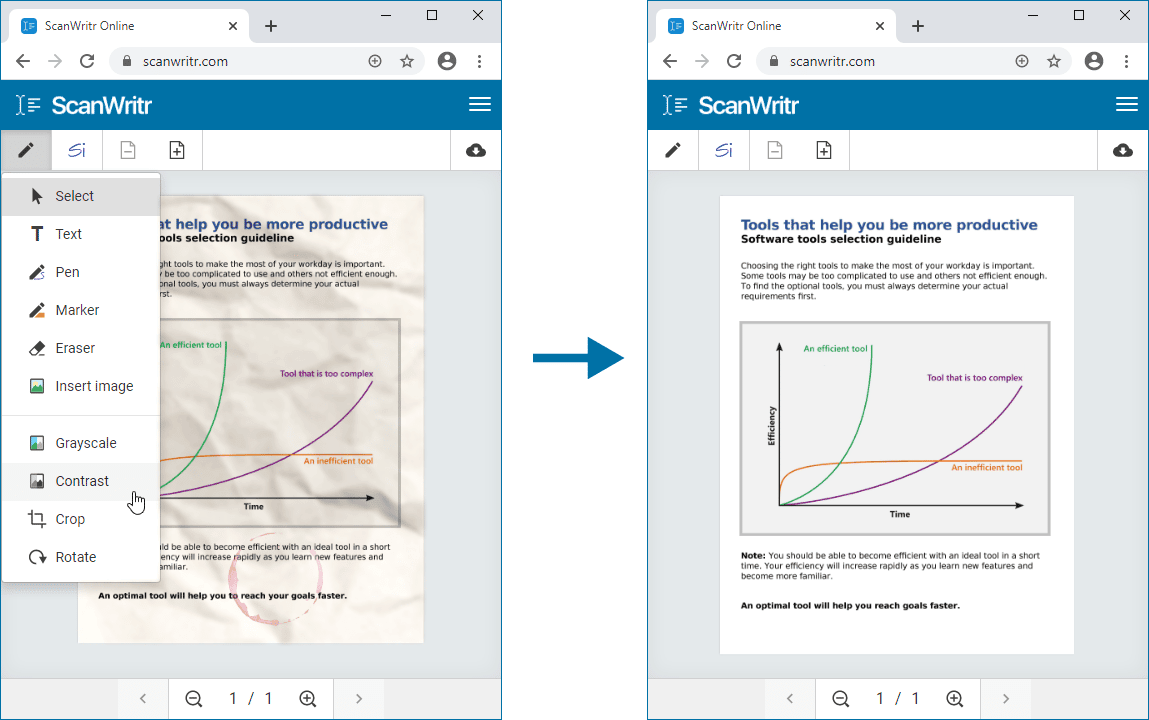
But that’s not all – ScanWritr goes a step further by offering tools to enhance the quality of your documents. You can improve scanned files’ clarity and overall appearance through retouching features, making them look sharp and professional. Whether you need to tidy up an old document, adjust brightness and contrast, or remove blemishes, ScanWritr provides all the tools to ensure your documents look their best.
Edit online for free with ScanWritr
ScanWritr empowers you to easily edit an imported image. It offers an array of tools and features to enhance your editing experience. Whether you need to add your signature, insert annotations, use an eraser or pen, or fill in the blanks using the writing tool, ScanWritr provides all the essential functionalities you need to work with your document digitally.
Once you’ve made your desired edits, you can conveniently convert the document to a high-quality PDF format. The document is ready for immediate use. Whether you need to send it via email, share it with others, print it, or fax it, ScanWritr makes editing a document online effortless and efficient.
Get even more with ScanWritr subscription
If you need to edit online for free, there is no quicker or better option than using ScanWritr. This powerful and user-friendly online tool makes the process seamless and highly efficient. To get started, visit the ScanWritr page. Then upload your document directly from your computer, tablet, or smartphone. You don’t need to install any app. Once your document is uploaded, you can use intuitive tools to edit online for free.
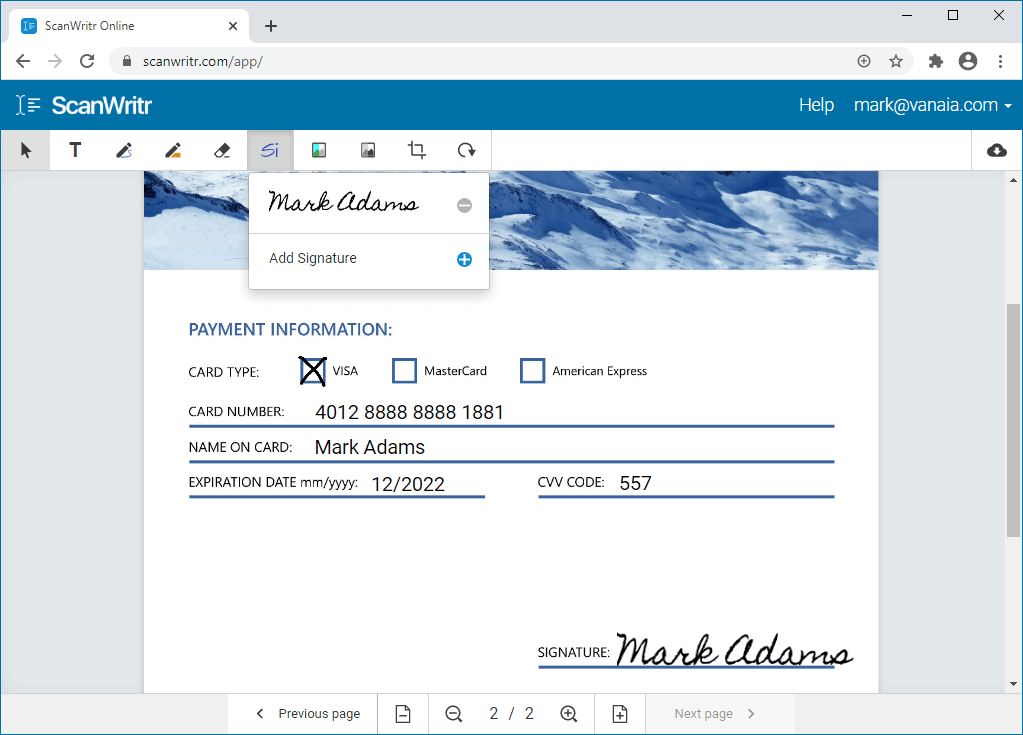
After that, you can easily add new content, such as texts, ticks, marks, signatures, or images, to enhance or complete your document. These features allow you to fill in forms, sign documents, or annotate as needed. Once satisfied with your changes, you can save your redacted and edited document as a polished PDF file.
Your document is now perfectly formatted and ready for sending, sharing, printing, or faxing – whatever your needs. With its versatile features and straightforward workflow, ScanWritr is the ideal solution for anyone looking to edit online for free quickly and effectively.
Additionally, ScanWritr subscription offers you even more features. You can redact documents with an eraser tool and save them as a searchable PDF from which you can extract text. The possibility of language selection improves OCR and guarantees the best possible text and content recognition in your language. Subscription also allows you to save your documents as a PDF without a watermark.