
Whether you’re reviewing a report, collaborating on a contract, or providing feedback on a design, annotation can transform a static document into a dynamic, communicative tool. With ScanWritr, you’ll get the convenience of digital online markup and annotation — offering flexibility, clarity, and efficiency for both personal and professional use. Use ScanWritr’s online editor to highlight parts of the document and annotate online easily.
The platform is versatile, allowing you to work on your PC, Mac, or mobile device without the hassle of downloading or installing any application. Open your web browser, visit the ScanWritr website, and unlock a wide range of editing features to streamline your workflow. With ScanWritr, document management has never been so straightforward and accessible!

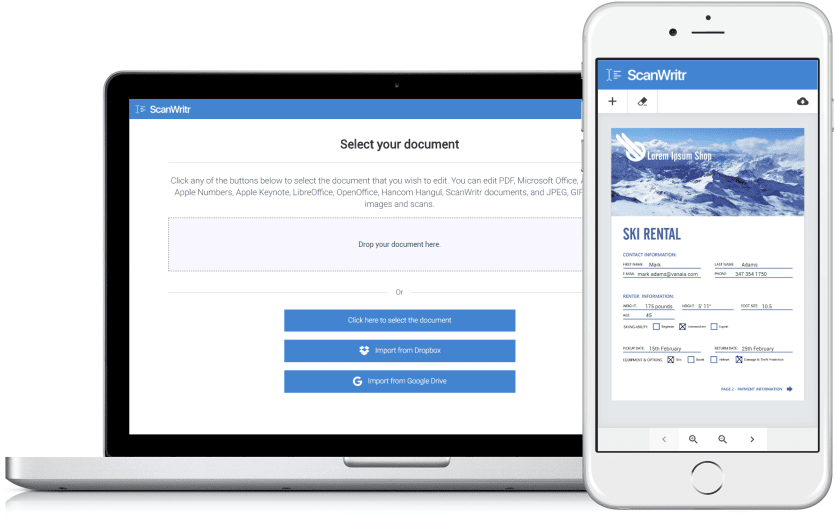
Annotate online with ScanWritr editing tools
Annotations let you bring clarity, structure, and communication to your documents. ScanWritr offers a comprehensive suite of powerful tools that enable you to annotate online, add comments, and highlight sections of the document. The process is straightforward and efficient, making it ideal for both professional and personal use.
To annotate online with ScanWritr, open the ScanWritr editor from any device, whether you use a computer, tablet, or smartphone – there’s no need to install any software. Upload your document in Word, PDF, image, or another supported format. Then use the text, pen, and marker tools to add or change text, highlight important sections, or write freehand notes. When finished, you can export your marked-up document as a professional-grade PDF, ready to download and share.
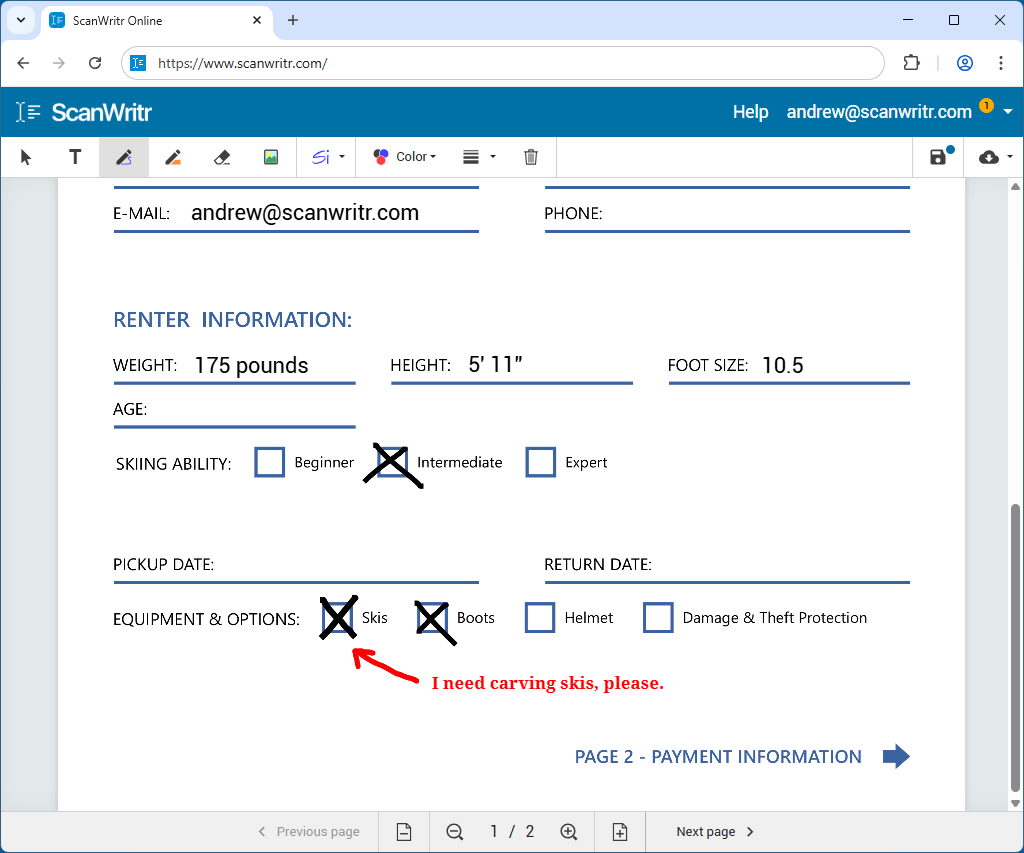
Doing your annotation work online has many benefits. There is no need to install software, and the tool works on any device through a web browser. You can open, edit, markup, annotate, and export your documents within minutes.
All you need to edit a document perfectly
ScanWritr is designed to recognize and work seamlessly with nearly all standard document formats, making it an incredibly versatile tool for document management. You can upload a wide range of file types, including Microsoft Word documents, Microsoft Excel spreadsheets, Microsoft PowerPoint presentations, and Microsoft Visio charts. The platform also supports Apple Pages documents, Apple Numbers spreadsheets, and Apple Keynote presentations, ensuring compatibility with popular macOS and iOS file types. Additionally, you can upload Adobe Acrobat PDF files, LibreOffice, OpenOffice, or Hancom Hangul documents, as well as image formats like JPEG, GIF, PNG, HEIC, and BMP.
One of ScanWritr’s key advantages is its ability to eliminate the need for manual file conversions. Whether you’re working with a digital file or starting with a physical document, the process is quick and straightforward. You can scan a physical document or take a photo of it directly within the app, turning it into a digital file for editing. Furthermore, the platform allows you to combine multiple documents and images into a single ScanWritr project. You can export the project as a polished, unified PDF document.
Once your files are uploaded, ScanWritr provides intuitive editing tools to handle your content as an image. You can erase sensitive content with precision, use the text, pen, or marker tools to highlight or annotate important areas. Then add a signature to authenticate the document. For more comprehensive editing, you can incorporate annotations and insert additional image. Fill out forms or blanks using the versatile writing tool.
When your edits are complete, you can effortlessly save your document as a PDF file. The file is ready for immediate sending, sharing, printing, or faxing. This streamlined workflow eliminates unnecessary steps, making document management faster and more efficient.
Enhancing the document
But that’s not all – ScanWritr goes a step further by offering tools to enhance the quality of your documents. You can enhance the clarity and appearance of scanned files using retouching features, making them look sharp and professional. Whether you need to tidy up an old document, adjust brightness and contrast, or remove blemishes, ScanWritr provides all the tools you need to ensure your documents look their best.
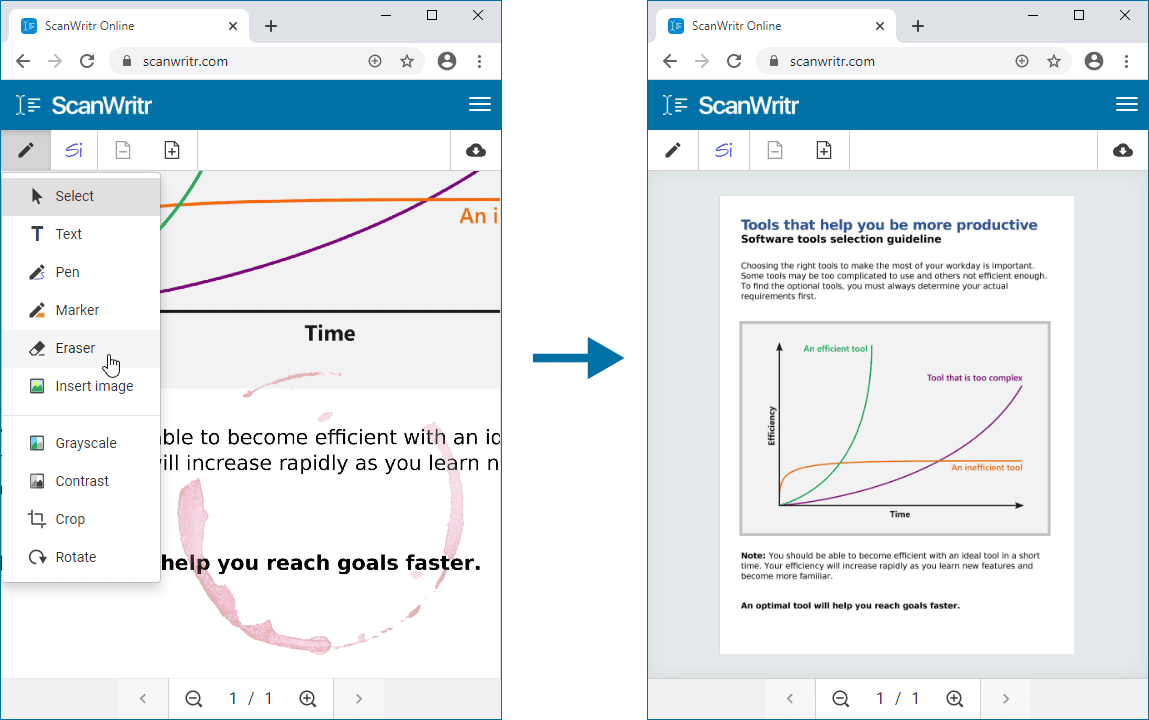
You need no installation to annotate
If you’re looking to annotate online with ease, ScanWritr provides a robust, browser-based toolset. It supports everything from light annotation to complete document editing and redacting. This powerful and user-friendly online tool makes the process seamless and highly efficient. With multi-format support and a smooth workflow, you’ll be able to transform how you digitally handle text editing.
To start, visit the ScanWritr page and upload your document directly from your computer, tablet, or smartphone. You don’t need to install any app. Once you upload the document, use intuitive tools to annotate online and markup parts of the document. You can also easily add new content, such as texts, signatures, or images, and enhance your document. These features allow you to fill in forms, sign documents, or annotate as needed. Once you’re satisfied with your changes, you can save your redacted and edited document as a polished PDF file.
Your document is now perfectly formatted and ready for sending, sharing, printing, or faxing – whatever your needs may be. With its versatile features and straightforward workflow, ScanWritr is the ideal solution for anyone looking to annotate online and handle documents quickly and effectively.