
In today’s digital workspace, precision and collaboration go hand in hand. Whether you’re reviewing a report, signing a contract, or giving design feedback, an online annotation tool transforms static documents into interactive spaces where ideas and corrections come to life. An effective online annotation tool should offer flexibility, simplicity, and precision – especially through its pen, text, and marker tools. These features are the foundation of explicit, accurate document markup, enabling users to comment, highlight, and edit effortlessly.
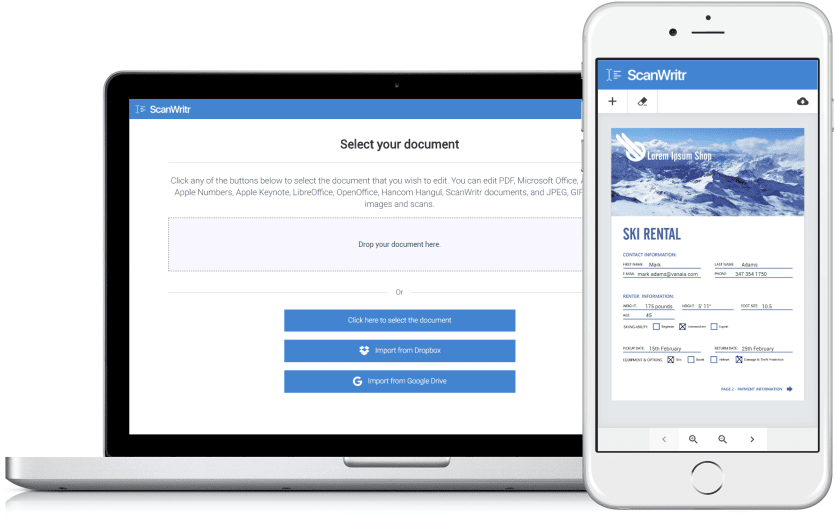
A great online annotation tool should make your work easier, not harder. That’s why modern solutions like ScanWritr run directly in your web browser. No installation, no software updates, no compatibility issues. Upload your document, make your annotations, and export your final version – all from your PC, Mac, tablet, or smartphone. This kind of flexibility lets you annotate whenever inspiration strikes, whether at your desk or on the go.

Powerful and precise online annotation tools: pen, text, and marker
The true power of an online annotation tool lies in its editing instruments. Among them, three stand out as essential: the pen, text, and marker tools. Together, these tools make the annotation process both natural and efficient – blending the freedom of pen input with the clarity of digital text and highlighting.
Pen Tool: Perfect for freehand writing, drawing, or circling important details. The pen tool gives you the freedom of handwriting – ideal for quick notes, sketches, or signatures.
Text Tool: Clean and precise, the text tool lets you add comments, insert explanations, or make corrections directly in your document. It’s excellent for structured, easy-to-read feedback.
Marker Tool: Helps you emphasize what matters. Use it to highlight critical sentences, figures, or ideas, guiding the reader’s attention exactly where it’s needed.
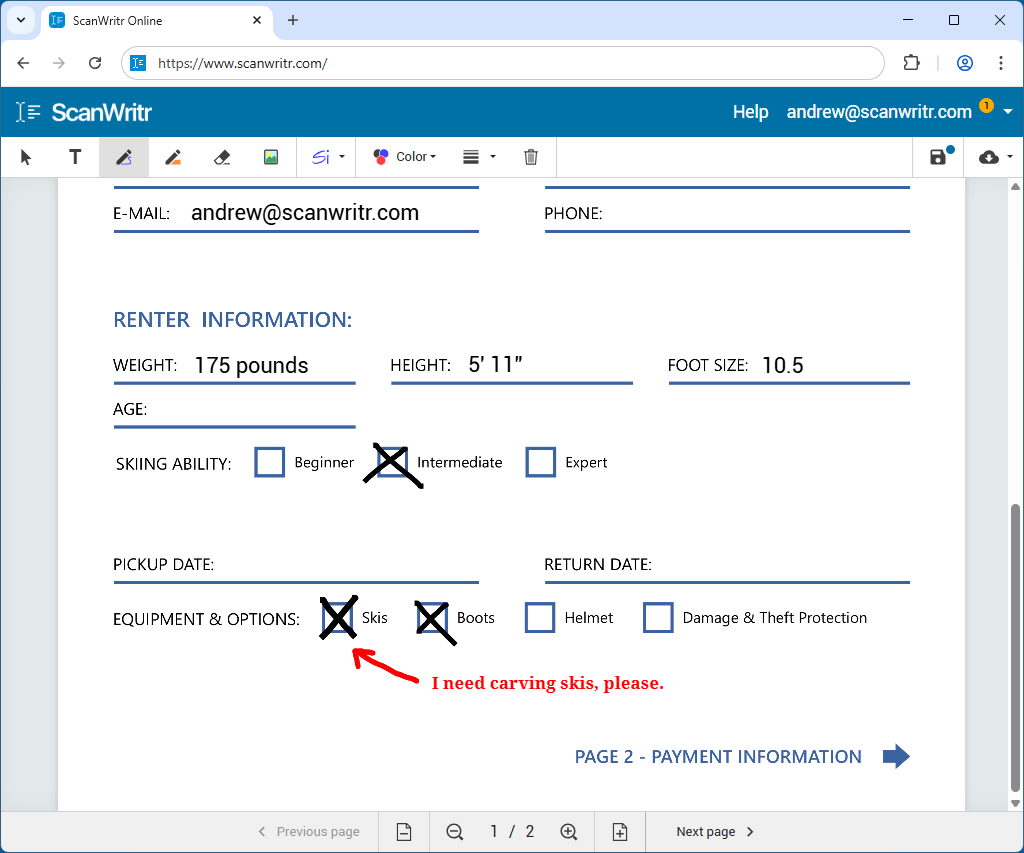
And last, but not least, accuracy matters – especially when you’re working on detailed documents. A professional annotation tool should let you zoom in and out effortlessly to ensure pinpoint precision. Whether you’re highlighting small text, signing your name neatly, or erasing fine details, zooming allows you to stay in control. This feature is particularly valuable when using the pen, marker, and eraser tools, where precision determines the quality of your markup. With ScanWritr, you can easily adjust your view to achieve flawless annotations every time.
Effortless uploads, document enhancement, editing, and exporting
An online annotation tool should adapt to your workflow, not the other way around. The best platforms support a wide variety of file and image formats. With ScanWritr, you can upload a wide range of file types. This includes Microsoft Word documents, Microsoft Excel spreadsheets, Microsoft PowerPoint presentations, and Microsoft Visio charts, Apple Pages documents, Apple Numbers spreadsheets, Apple Keynote presentations, Adobe Acrobat PDF files, LibreOffice, OpenOffice, and Hancom Hangul documents, as well as image formats like JPEG, GIF, PNG, HEIC, and BMP. You can even scan physical documents or take photos and convert them into editable digital files, eliminating time-consuming conversions.
Once your files are uploaded, ScanWritr lets you immediately start editing with the pen, text, or marker tools. You can also erase sensitive content with precision and add a signature to authenticate the document.
But that’s not all – ScanWritr goes a step further by offering a set of enhancing tools. To make your work stand out, document enhancement features – such as adjusting brightness, contrast, and clarity – can improve the legibility and presentation of your documents. Whether you’re marking up a scanned file or refining a digital report, these enhancements ensure your work looks crisp and professional.
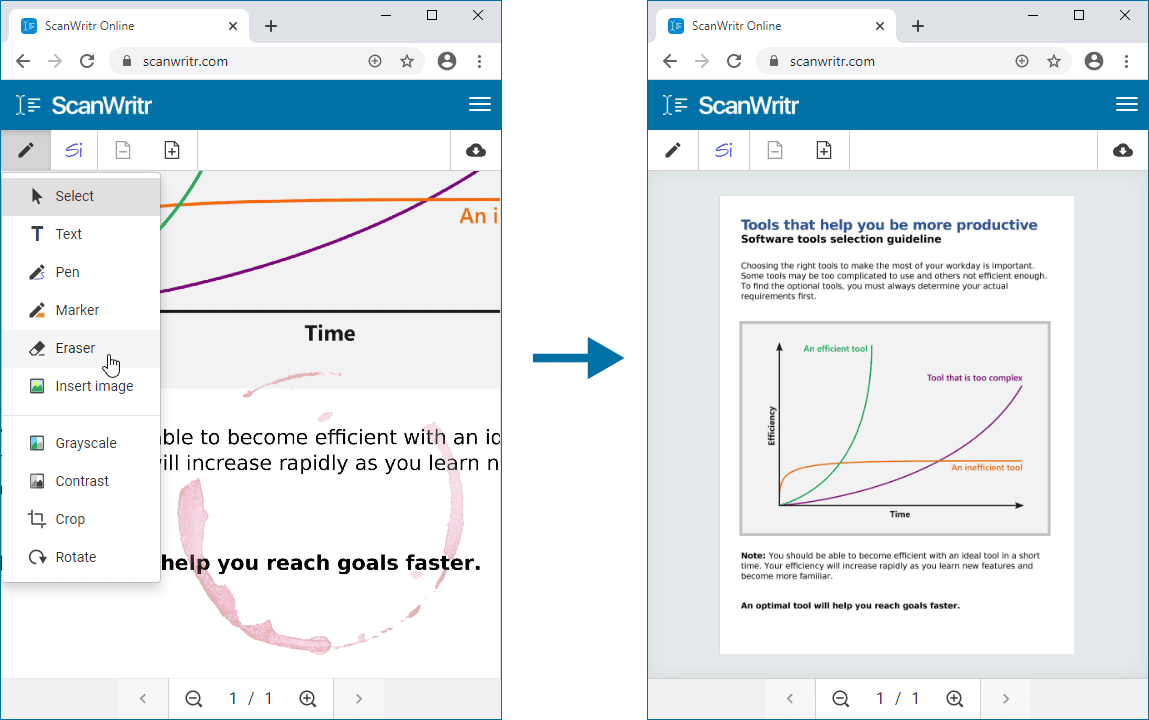
When your edits are complete, you can effortlessly save your document as a PDF file. The document is ready for immediate sending, sharing, printing, or faxing. This streamlined workflow eliminates unnecessary steps, making document management faster and more efficient.
Online annotation tool in your browser
An online annotation tool is more than a digital notepad – it’s a workspace that enhances productivity, accuracy, and communication. With features like pen, text, and marker tools, zoom controls for detailed editing, and browser-based access that works across all devices, ScanWritr delivers everything you need for precise, professional document annotation.
Whether you’re collaborating with a team, filling out a form, or refining a proposal, ScanWritr helps you annotate smarter, communicate clearly, and work more accurately. All without ever leaving your browser.